

On top of each page you see which module is currently in use, your user name, your role, and log-in icons:
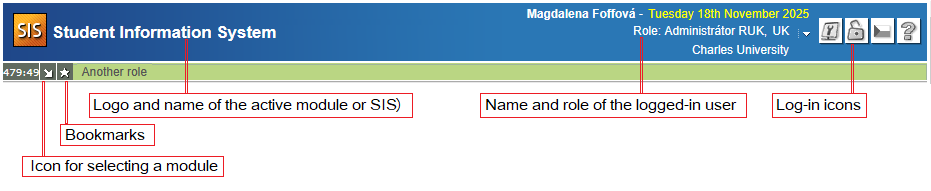
Head of the page
Description of used icons:
| Icon | Description |
 | log out |
 | log in |
 | SIS' main page |
 | help |
 | switch to Czech |
 | switch to English |
 | personal data, settings |
 | notification |
Bookmarks
By clicking on the "Add to my bookmarks" star-shaped icon (visible once logged in), you can create a bookmark only for you (My bookmark) – available to all logged-in users and students, or bookmarks for you as well as shared bookmarks (Visible for = Students / Teachers / Both students and teachers) – available only to logged-in users.
A new shared bookmark is automatically added to your bookmarks.
- by default, the bookmark is set as "For me only"
- the maximum number of visible bookmarks is set by the bookmarks:lista_max_pocet_zalozek global configuration parameter
- if a user has multiple bookmarks, the bottommost item on the list is "+ x more", which redirects to My bookmarks in the bookmarks SIS3 module upon clicking
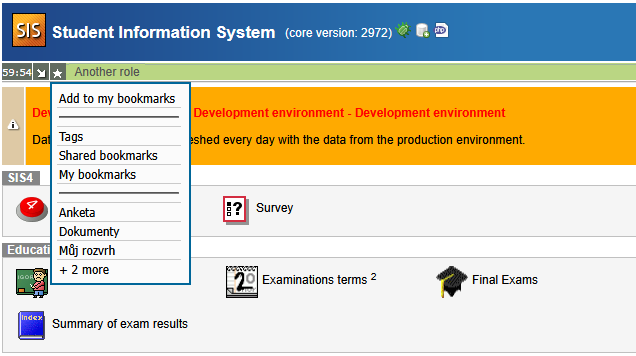
Clicking on "my bookmarks", "shared bookmarks", or "tags" redirects to the Bookmarks SIS3 module.
last modified: 27.11.2025